


Updated:
Short answer: CS 1.6 runs perfectly on Windows 11, and with this build you do not have to do anything special to make it happen. The same installer that covers Windows XP through Windows 10 covers Windows 11 too — no compatibility mode, no registry edits, no patched DLLs, no running as administrator. Download, install, play.
If you searched for this page because an old CS 1.6 download refused to start on your new PC, you are in the right place. The problem was the build you tried, not Windows 11 — and the sections below explain exactly why.
- Latest engine build (8684) — made for modern Windows
- Installs in about a minute, no CD-key
- Dual 47/48 protocol, working server browser, bots included
- High-FPS config tuned out of the box
# CS 1.6 Windows 11
Why old builds break on Windows 11
CS 1.6 downloads floating around the internet are often ten or fifteen years old, built when Windows XP was the target. Those builds assume old-style exclusive fullscreen — the mode where the game takes over the display completely — which modern Windows handles very differently. On Windows 11 that mismatch shows up as a black screen on launch, a crash when you alt-tab, or a picture stuck at the wrong resolution. Their installers are just as dated: some depend on components Windows 11 simply no longer ships, so the setup fails before the game even gets a chance to.

Why this build doesn't
This client uses the newest engine build, 8684, on GoldSrc 1.1.2.6 — the same original game, but with engine code that cooperates with the modern Windows display stack instead of fighting it. Fullscreen works, alt-tab works, native resolutions work. The installer is equally current: a straightforward modern setup of about 175 MB that runs on Windows 11 the same way it runs on Windows 10. One download covers every Windows version from XP to 11, so there is no separate "Windows 11 edition" to hunt for — this is it.
High refresh rate monitors and FPS
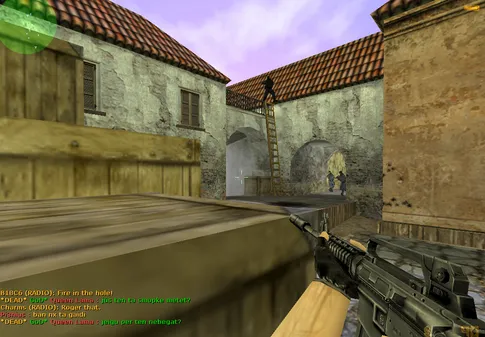
A Windows 11 PC is, by definition, modern hardware — and CS 1.6 was designed for machines from 2003. The result is that performance is a non-issue: even integrated graphics hold a locked 100 FPS, the classic competitive standard the included config targets with fps_max. If you play on a 144 Hz or 240 Hz monitor, open the console and raise the fps_max value to match — the engine has decades of hardware headroom to spend, and input latency drops along with the frame time. No config editing is required to get started, though: out of the box the game already runs smoother on Windows 11 than it ever did on the hardware it was written for.
Everything else works too
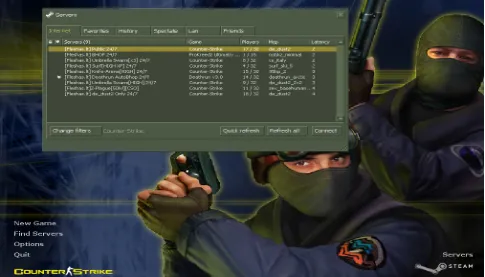
Compatibility is more than launching: the parts of the game you actually use daily all work on Windows 11. Find Servers is populated by a working master server list, dual 47/48 protocol support makes every server joinable, and bots are included for offline practice — press H in game for the bot menu. The first time you go online, Windows Firewall asks to allow the game; click Allow and the server browser fills up. The client is also protected against slowhack, so public servers cannot rewrite your config or force binds behind your back. Hardware-wise there is nothing to check, but the full numbers are on the system requirements page — any Windows 11 machine clears them by a wide margin.
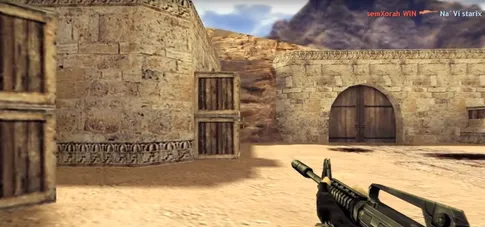
CS 1.6 running on a modern system

Frequently asked questions
Does CS 1.6 work on Windows 11 without compatibility mode?
Yes. This build installs and runs on Windows 11 exactly like any modern program — no compatibility mode, no admin tricks, no patches. Download the installer, run it, and play. The client is built on the latest engine build, which handles the Windows 11 display stack correctly.
Why do some old CS 1.6 downloads break on Windows 11?
Ancient builds rely on engine behavior from the Windows XP era — old fullscreen handling, outdated renderers, and installers written for systems Windows 11 no longer supports. The result is black screens, crashes on alt-tab, or setups that will not even start. This build uses the current engine build 8684, which avoids all of that.
Can I get more than 100 FPS on a high refresh rate monitor?
The included config caps the game at a perfectly smooth 100 FPS with fps_max, which is the classic competitive standard. On a 144 Hz or 240 Hz monitor you can raise the fps_max value in the console — any modern PC has performance to spare, since the game was designed for hardware from 2003.
Will Windows Defender block the installer on Windows 11?
SmartScreen may show a warning the first time you run the setup, which is normal for non-Steam game installers. If you downloaded the file from this site, choose More info and Run anyway. The installer contains only the game — no ads, toolbars, or bundled software.
Does CS 1.6 run well on a Windows 11 laptop with integrated graphics?
Yes, easily. The game needs a 1.6 GHz CPU, 1 GB of RAM, and a basic video card for a stable 100 FPS. Any laptop that can run Windows 11 at all exceeds those requirements many times over, including machines with integrated graphics.
Setup on Windows 11 takes about a minute from download to main menu. If you want the process spelled out screen by screen, the step-by-step install guide covers every prompt, including the SmartScreen warning and the firewall dialog.