


Updated:
We offer Counter-Strike 1.6 two ways: a direct link and a torrent. Both deliver the identical installer — this page exists because for some connections, torrent is simply the better tool. If your internet drops in the evening, if downloads crawl at a few hundred kilobytes, or if a 175 MB file failing at 90% sounds painfully familiar, the torrent route was made for you.
On a fast, stable connection the direct download on the main CS 1.6 page is the quickest path. Everyone else keeps reading — the torrent's two superpowers, resuming and verification, are exactly what unreliable internet needs.
# CS 1.6 Torrent Download
Why torrent beats a direct link on bad internet
- Resume anywhere: if your connection drops at 92%, the download continues from 92% — never from zero.
- Chunk verification: the file arrives in small pieces and each one is checked against a checksum, so the installer cannot arrive corrupted.
- Bandwidth control: cap the speed so the download runs quietly in the background, or schedule it for the night.
- Free, like everything here: same clean build, no CD-key, no bundled software.
You need a torrent client first — we recommend the free and open-source qBittorrent, which has no ads and takes a minute to install.
Step by step: from torrent to playing
- 1. Install a torrent client. Download qBittorrent from the link above and install it with default settings.
- 2. Get the .torrent file. Press the torrent button in the download block on this page — it saves a tiny .torrent file, which is not the game but the instructions your client uses to fetch it.
- 3. Open it in the client. Double-click the .torrent file, confirm the save location, and the download starts. You can pause it, reboot, or lose connection freely — it always resumes.
- 4. Run the installer. At 100%, open the downloaded setup file and install like any program. A minute later the desktop icon appears; the install guide covers details like antivirus prompts and choosing a folder.
- 5. Optionally, seed. Leaving the torrent active for a while uploads pieces to other players and keeps the download fast for everyone.
What exactly you are downloading
The torrent carries the same build as every other page on this site: original CS 1.6 on GoldSrc engine 1.1.2.6, latest build 8684, about 175 MB to download and roughly 700 MB installed. It includes the high-FPS config, bots for offline practice, dual 47/48 protocol with a working server list, and slowhack protection. It runs on everything from Windows XP to Windows 11 — the system requirements page has the exact numbers, though any PC from the last 15 years clears them easily.
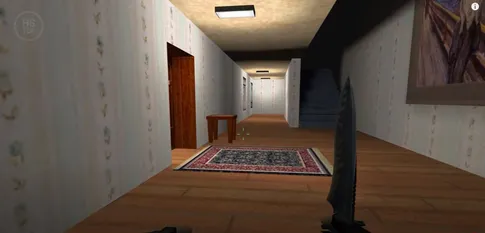
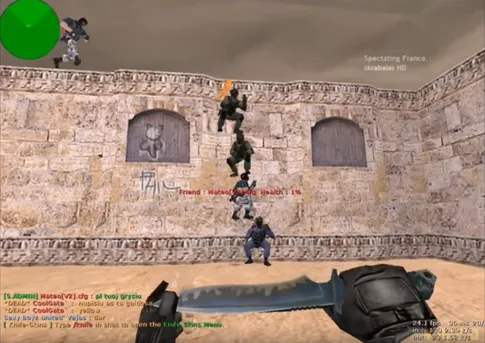
Screenshots of the build in the torrent
Frequently asked questions
Is downloading CS 1.6 by torrent safe?
Yes, as long as you use the torrent from this page. The torrent delivers the exact same clean installer as our direct download — no ads in game, no bundled software, no CD-key. The torrent protocol itself verifies every downloaded chunk against a checksum, so the file cannot arrive corrupted or silently altered.
Is the torrent version of the game different from the direct download?
No. Both deliver the identical build: original CS 1.6 on engine 1.1.2.6, latest build 8684, with the high-FPS config, bots, and dual 47/48 protocol. Only the delivery method differs — the game you end up with is byte-for-byte the same.
What is seeding and should I keep seeding after the download?
Seeding means your client uploads pieces of the file to other people who are still downloading. It costs you nothing but a little upload bandwidth and helps the next player get the game faster. Leaving the torrent seeding for a while after you finish is good etiquette, but it is entirely optional.
My torrent sits at 0% or downloads slowly. What can I do?
Give the client a minute to find peers first — a fresh torrent can take a moment to start. If it stays stuck, check that qBittorrent is allowed through your firewall and that your connection is not blocking peer-to-peer traffic. Speed also depends on how many seeders are online, so a retry later in the day often helps.
Do I need to keep qBittorrent installed after I get the game?
No. Once the download hits 100% and you have run the CS 1.6 installer, the game is fully standalone. You can keep qBittorrent to seed or for future downloads, or uninstall it — Counter-Strike does not depend on it.