


Updated:
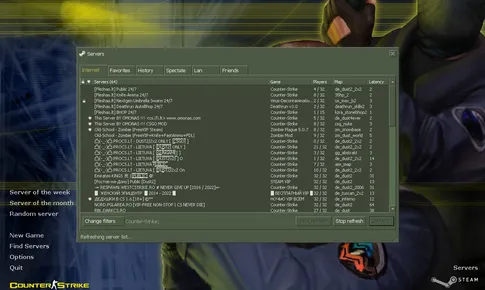
Online is where Counter-Strike 1.6 lives, and the road to online play is the Find Servers button in the main menu. Click it and the client asks a master server — a directory service whose address is built into the game — for every public server currently online, then pings each one and lays them out in a sortable list. Our client ships with a working master server list and dual 47/48 protocol support, which is why its browser fills with thousands of servers while many old builds show an empty window.
This page explains how to read that list, filter it, pick a server worth staying on, and connect by hand when you already know an address. If you don't have the game yet, start with the CS 1.6 download — everything below assumes the client from this site.
# CS 1.6 Servers
Tabs and filters
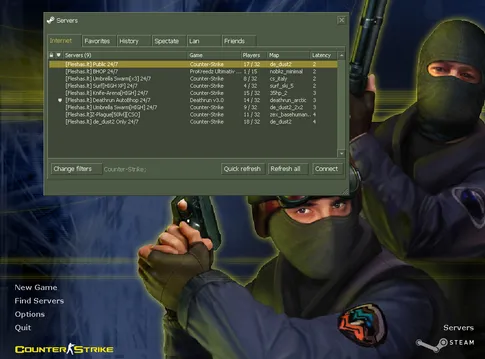
Across the top of the browser you will find the Internet tab (every public server the master list knows), Favorites (servers you have saved), and LAN (games on your local network — handy for playing with people in the same house or office). Below them sit the filters: restrict the list to a specific map, hide full or empty servers, and cap the maximum ping. A practical starting filter is your favorite map plus a ping limit of 100 — it cuts thousands of rows down to a short list of servers you will actually enjoy.
Reading the list
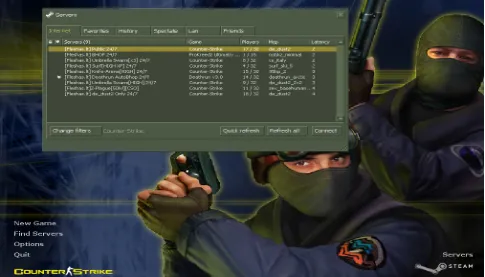
Each row shows the server's name, the map it is running, how many players are on out of how many slots, and your ping to it. Two habits pay off. First, sort by the ping column and stay near the top — a low ping means the server is physically close and your shots register when you fire. Second, prefer servers that are busy but not full: 20 players on a 32-slot server means a living community and a free slot for you. Server names usually advertise the mode and region, so after a few sessions you will recognize the communities you like at a glance.
Game modes you will meet
The Internet tab is not one game — it is dozens of communities running different rule sets on the same engine. The names in the list tell you what to expect:
- Classic / casual — the standard game: plant or defuse, rescue hostages, buy menu and round economy. The default choice and the best place to learn.
- Deathmatch — instant respawn and endless fighting. No objectives, just aim practice.
- GunGame — every kill advances you to the next weapon; first player through the whole arsenal wins.
- Zombie — one team becomes the infected and hunts the survivors; humans barricade and hold out.
- Surf — movement servers built around sliding along angled ramps; half sport, half meditation.
- Jailbreak — guards give orders, prisoners obey or rebel; a role-play mode famous for chaos.
Favorites and connecting by address
Found a server you like? Save it: right-click its row and add it to Favorites, and from then on the Favorites tab checks just your saved servers instead of the whole internet. You can also add a server there manually by its address — useful for private community servers that you join by invitation rather than by browsing.
The fastest route of all is the console. Open it with the tilde key (~) and type connect ip:port — for example connect 203.0.113.5:27015 — and the client jumps straight onto that server. Every CS community shares its address in exactly this form. If a server ever rejects you with a protocol error, the 48 protocol page explains what that means — though this client's dual-protocol support makes it a non-issue in practice.
For server owners
Running a server of your own is the other side of this page: the master list is how players find you, but visibility inside a list of thousands is its own battle. If you host a server and want more traffic, see the server boost service — it exists precisely to move your server in front of players who are browsing that list. And if you would rather test the game before installing anything, you can play CS 1.6 in the browser first.
Life on public servers

Frequently asked questions
Why is my server list empty when I click Find Servers?
An empty list almost always means the client was built with a master server address that no longer answers — a common problem with old downloads floating around the internet. The client from this site queries a working master server list, so Find Servers fills up with active servers within seconds.
What ping is good for CS 1.6?
Under 50 ms feels instant, and anything below 100 ms is comfortable for casual play. Above 150 ms you will notice your shots registering late. Ping depends mostly on distance, so the practical fix is simply picking servers hosted closer to you.
Are there still active CS 1.6 servers in 2026?
Yes — thousands of them, across every mode from classic competitive to zombie and surf. The game has run continuously since 2003, and communities around the world still keep public servers full every evening.
Can I join a server directly without the browser?
Yes. Open the developer console and type connect followed by the server address and port, for example connect 203.0.113.5:27015. This is the standard way to join a server a friend sent you or one advertised by a community.